
MacBook Won't Turn On Fix. 5 Fast Fixes from FixMyMac
There is nothing more stressful than pressing the power button on your MacBook and seeing nothing but a black screen—especially when you have a deadline at your office in Sri Hartamas or a project due in Bukit Jalil.
In Malaysia’s high-humidity environment, MacBook power issues are common. Before you assume the worst (like a dead logic board), there are several “Fast Fixes” you can perform at home. At FixMyMac, we’ve seen thousands of “dead” Macs in the Klang Valley brought back to life with these exact steps.
1. The 10-Second Force Restart Fix
MacBook Wont Turn On Fix is sometimes, your MacBook is actually “on” but stuck in a frozen state or a crashed sleep mode. A force restart cuts the power internally and forces the system to reboot.
How to do it: Press and hold the Power Button (on newer models, this is the Touch ID sensor) for a full 10 seconds.
Next step: Release the button, wait 5 seconds, and press it once normally to see if the Apple logo appears.
2. Verify Your Power Delivery & Ports
In many cases, the “MacBook wont turn on fix” is as simple as a faulty cable.
Check the Adapter: Does the charging brick feel warm? If it’s cold, it might not be drawing power.
Inspect the Port: Malaysia’s humidity can cause tiny amounts of corrosion or dust buildup in USB-C ports. Use a soft, non-metallic brush to clear any debris.
Try a Different Port: On MacBook Pros, try plugging the charger into a port on the opposite side. Sometimes one controller fails while the other remains functional.
3. Reset the SMC (Intel-based MacBooks Only)
The System Management Controller (SMC) manages power, battery charging, and thermal management. If your Mac is an Intel model (pre-2020), an SMC reset is a powerful tool. This step is one of the most important steps to look for a MacBook Wont Turn On Fix
For Macs with the T2 Chip (2018–2020): Shut down. Press and hold Control + Option + Shift (left side) for 7 seconds, then add the Power Button. Hold all four for another 7 seconds, then release.
For Apple Silicon (M1, M2, M3): These models do not have an SMC. Simply shut the lid, wait 30 seconds, and reopen it to trigger a similar power cycle.
4. Reset NVRAM/PRAM (For Startup Glitches)
If your Mac shows a brief flash or a question mark but won’t boot to the desktop, the Non-Volatile Video RAM (NVRAM) might be corrupted.
The Fix (Intel): Turn on the Mac and immediately hold Option + Command + P + R. Keep holding for 20 seconds or until you hear a second startup chime.
The Fix (Apple Silicon): These Macs perform an automatic check of the NVRAM during every startup. If it fails to boot, try holding the power button until “Loading startup options” appears.
5. The "Humidity Recovery" Trick
Living in Kuala Lumpur or Selangor means your Mac deals with relative humidity often exceeding 80%. This can cause microscopic condensation inside the chassis, triggering a safety “shutdown” on the motherboard.
-
The Professional Tip: If you’ve recently moved your Mac from a cold air-conditioned room to a humid outdoor area, let it sit in a dry, room-temperature environment for 30 minutes before trying to power it on again.
-
Safety First: Never use a hairdryer on high heat, as this can melt internal plastic components.
Not sure if you Macbook is having a problem? or your device starting to feel very slow? Just WhatsApp us your problems and we’ll respond instantly to help you out!
Expert Logic Board Repair vs. Replacement
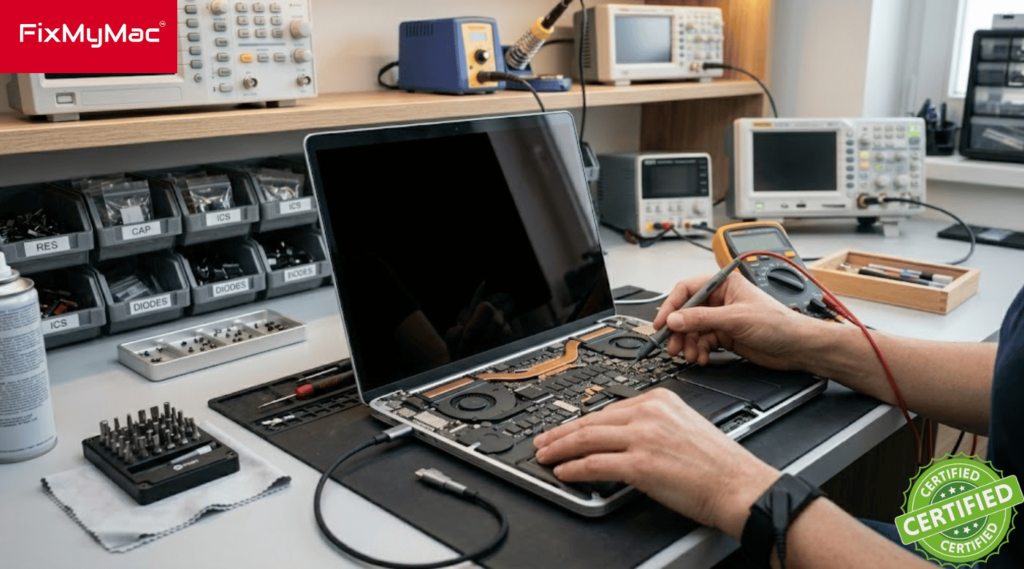
Most official centers will quote you for a full logic board replacement, which can cost up to 70% of a new MacBook’s price. At FixMyMac, our expertise lies in Micro-soldering. While others suggested a RM2,500 board replacement, we identified a single corroded resistor. We replaced the 50-cent component, and the Mac was back in action for a fraction of the cost.
Tips to Maintain Your MacBook in Malaysia’s Climate
- Avoid High Humidity: Prolonged exposure to humidity can cause internal corrosion. Try to use your Mac in air-conditioned environments whenever possible.
- Clean Your Fans: Dust builds up quickly in KL. We recommend an internal cleaning and thermal paste replacement every 1.5 to 2 years to prevent overheating.
- Use Original Chargers: Cheap third-party chargers are the leading cause of logic board failure in Malaysia. Always use genuine Apple or high-quality MFi-certified power adapters.
Don’t Panic, Get a Professional Diagnostic
MacBook wont turn on fix is not as hard as it seems. Do not get panic at first and follow the 5 fixes above. If the Apple logo still refuses to appear, it’s time to let the experts take a look. Whether it’s a battery that has reached its cycle limit or a complex power rail issue on the motherboard, we have the tools to fix it.
Visit FixMyMac at our KL locations for a transparent, professional, and fast repair experience.
Stop Staring at a Black Screen!
Bring your Mac to us today and get an expert diagnostic. We’ll find the fix so you can get back to work.
WhatsApp Us for a Quote in Bukit Jalil
We’re officially Apple Certified! Read how FixMyMac’s Independent Repair Provider status guarantees genuine parts and expert service.
MacBook Power FAQ
Why is my MacBook screen black but I can hear the fan?
How do I know if my MacBook logic board is dead?
Can FixMyMac repair a Mac that won't turn on on the same day?
Does FixMyMac provide a warranty after repair?
Why KL Users Trust FixMyMac
When your MacBook won’t turn on, you don’t want to ship it away for weeks. You need a local expert who understands the common hardware failures in the Klang Valley.
FixMyMac Close area to Sri Hartamas: Serving Mont Kiara, Bangsar, and Damansara with expert component-level repairs.
FixMyMac Close area to Bukit Jalil: Perfect for residents of Puchong, Cheras, and Seri Kembangan looking for fast, reliable service.
Environmentally Aware: We specialize in repairing boards rather than replacing them, which is better for your wallet and the environment in Malaysia.
FixMyMac Client's Reviews
📍 Location:
Sri Hartamas
Sri Hartamas No. 3-1, Plaza Prismaville, Jalan 19/70a, Desa Sri Hartamas, 50480 Kuala Lumpur, Wilayah Persekutuan Kuala Lumpur
Bukit Jalil
UG – 21, Jalil Link 2, No.5, Jalan Jalil Perkasa 1, Bukit Jalil, 57000 Kuala Lumpur.
📞 Phone: +60149441494
✉ Email: [email protected]
🔗 Website: FixMyMac