
Skip to content

FixMyMac

Home » Blog » Mac Motherboard Repair: Save Your Dead MacBook Without Spending a Fortune

Mac Motherboard Repair: Save Your Dead MacBook Without Spending a Fortune

  • by
Mac Motherboard Repair. Same day fix at FixMyMac Malaysia

Mac Motherboard Repair: Save Your Dead MacBook Without Spending a Fortune

Pressing the power button on your MacBook and getting nothing but a black screen is every Mac owner’s nightmare. Before you let an official service center convince you to throw away your laptop or pay an astronomical price for a total board replacement, you should know that your dead machine can often be brought back to life for a fraction of the cost.

Most logic board issues are caused by tiny micro-components failing rather than the entire circuit board dying. With component-level repair, expert technicians can replace individual chips, capacitors, and resistors to restore full functionality without wiping your precious files or draining your bank account.

In this guide, we will break down the common symptoms of a failing logic board, explain the difference between board replacement and micro-soldering, and show you how to get fast, reliable Mac motherboard repair in KL and Selangor.

What Are the Most Common Signs of a Damaged Mac Logic Board?

Logic board issues can manifest in subtle ways before your computer shuts down completely. Recognizing these warning signs early can help you seek repair before permanent damage occurs:

  • Mac Won’t Turn On or Boot Up: No fan sound, no chime, no keyboard backlight, and a completely black screen despite using a working charger.

  • Liquid Damage or Chemical Corrosion: A spilled cup of coffee or water creates immediate short circuits across delicate copper traces on the board.

  • No Display or Distorted Graphics: Your MacBook turns on (you hear the chime or feel the trackpad click), but the screen remains dark or shows flickering lines.

  • Random Shutdowns and Overheating: The Mac suddenly powers off during normal tasks, or the cooling fans run at maximum speed continuously due to faulty thermal sensors.

  • Battery Not Charging or USB-C Port Failure: Plugging in your MagSafe or USB-C cable yields no response, or only specific ports recognize external drives.

How Our Mac Logic Board Repair Process Works

Restoring delicate circuitry requires precision tools, specialized schematics, and high-powered microscopes. Here is how our expert repair flow protects your device:

Free Diagnostic & Board Inspection

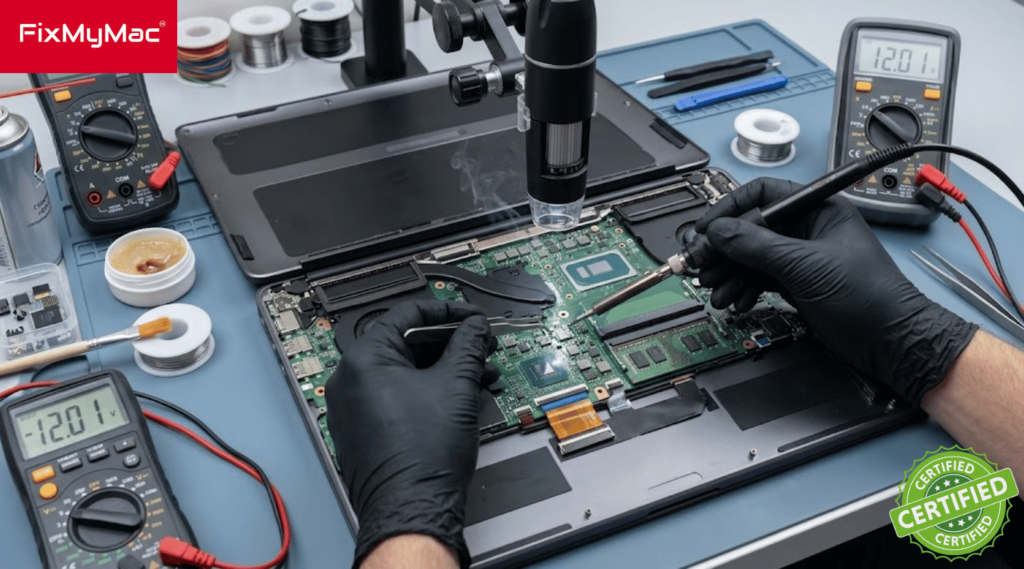
We disassemble your Mac to inspect the logic board under a microscope, using thermal imaging and multimeter diagnostics to locate short circuits and burnt components.

Ultrasonic Cleaning & Micro-Soldering

If liquid damage is present, the board undergoes ultrasonic cleaning to strip corrosion. Our technicians then replace damaged micro-chips using specialized hot-air reworking stations.

Stress Testing & Quality Check

Once power and video signals are restored, we run comprehensive hardware stress tests (CPU/GPU load, battery charging cycles, Wi-Fi, port stability) before handing your Mac back to you.

Whether you are repairing or upgrading your MacBook parts, we’re officially Apple Certified! Read how FixMyMac’s Independent Repair Provider status guarantees genuine parts and expert service

Frequently Asked Questions (FAQ)

How much does Mac motherboard repair cost in Malaysia?

The exact price depends on your specific Mac model and the extent of the damage. Minor component fixes (such as replacing a shorted capacitor or USB-C chip) are significantly cheaper than dealing with extensive liquid corrosion across multiple power rails. We provide a clear quote after our diagnostic inspection.

Can you fix a MacBook logic board after liquid damage?

Yes! In many cases, if you bring the device in quickly and avoid plugging it into a charger after the spill, we can remove the corrosion using ultrasonic baths and replace damaged micro-components to fully restore the board.

Will my data be safe during logic board repair?

Unlike official replacements that wipe your storage, our component-level micro-soldering aims to repair your original board. This keeps your onboard SSD chips intact so your data remains safe.

How long does a logic board repair take?

Standard diagnostic and micro-soldering repairs typically take between 1 to 3 working days, depending on the complexity of the circuit short and component availability.

Logic Board Replacement vs. Component-Level Logic Board Repair

When you take a faulty MacBook to an authorized service center, their standard protocol is straightforward: swap the entire logic board with a new one. Here is why choosing third-party micro-soldering repair is often the smarter alternative:

1. Cost Efficiency

A complete logic board replacement from an official store can easily cost up to 60–70% of the price of a brand-new MacBook. Component-level repair pinpoints the exact chip or capacitor that failed—such as a blown power management IC (PMIC)—and replaces only that faulty part, cutting your repair bill dramatically.

2. Data Preservation

On modern Apple Silicon (M1, M2, M3, M4) and T2-chip MacBooks, the SSD storage chips are soldered directly onto the logic board. Swapping the whole board means losing all your unbacked-up family photos, work files, and client projects forever. Board-level micro-soldering restores power to your original board so you retain all your stored data.

3. Environmentally Responsible

Repairing micro-components reduces electronic waste and keeps fully functional aluminum chassis, Retina displays, and battery units out of landfills.

Not sure if you Macbook is having a problem? or your device not as the same as the firt time you used it? Just WhatsApp us your problems and we’ll respond instantly to help you out!

Conclusion: Revive Your Dead Mac with FixMyMac

A dead or liquid-damaged MacBook doesn’t mean you need to buy a brand-new laptop or lose all your critical files. Choosing precision component repair is the most reliable, cost-effective way to get your machine back in working order.

If you are looking for expert, reliable Mac Motherboard Repair in Kuala Lumpur or Selangor, FixMyMac is ready to help. Our certified technicians specialize in micro-soldering, liquid damage restoration, and complex chip replacements for MacBook Air, MacBook Pro, iMac, and Mac Mini models. We offer honest, transparent diagnostics, fast turnaround times, and data-safe repair strategies backed by a solid warranty. Don’t write off your Mac just yet—let our specialists diagnose it today.

Is your Mac acting up or refusing to turn on? Contact FixMyMac now to book a free diagnostic session or get an instant repair quote!

Testimony

FixMyMac Client's Reviews

Muhammad Ihsan
Muhammad Ihsan
23 June 2024
Super fast response time and very friendly staff👍🏽 definitely recommend this place
Amanda Choo
Amanda Choo
21 June 2024
Took my laptop in for an emergency repair when I cracked my screen, they were quick to respond and were able to take my laptop in on the same day and return it in a couple of hours! Great and reliable service
Yaamin Mohamed
Yaamin Mohamed
17 June 2024
Handed over my laptop in the afternoon and they fixed my laptop same day, replacing screen for an M1 13" laptop! Highly recommended
hilda sadang
hilda sadang
15 June 2024
Mr Gan was very efficient with his services. He came to pick up my Mac within 2 hours from the time I contacted him, gave specific information about the he believed is wrong with my Mac ( which is a bloated battery) and got the problem solved right away . And delivered back in less than 3 hours. He also taught me how to care better for my Mac now on to improve longevity. I asked him to help me clean Mac as it felt oily and dirty somehow, with grime n little dark patches. Mr Gan helped me make my Mac spotlessly clean just like new. The key board even felt firmer,. Highly recommended. You get Mac expert solutions, good cleaning and convenience. 😀”.
rmb empire
rmb empire
13 June 2024
My latest MacBook Pro screen cracked. I approached many laptop mechanics but no one could fix it until I found Fix MyMac. Mr Gan was very professional and friendly. My MacBook is back to brand new look. Thank you for the efficient work. Totally recommend for any MacBook or iMac issues. 10/10!
Shaliza Manmohan
Shaliza Manmohan
13 June 2024
Absolutely incredible service at FIX MY MAC! After a frustrating month of seeking repairs for my cracked Mac and being turned away or told to wait months for parts by other places, including the Apple Store, I decided to give FIX MY MAC a shot. I had little hope, but to my surprise, the response from their team was swift and extremely helpful. In just 10 days, my laptop was fixed and it’s as good as new—I’m actually writing this review from it! Not only was the service fast, but the team was honest in their advice, and the pricing was far more reasonable than anywhere else I’d checked. I highly recommend FIX MY MAC to anyone facing issues with their Mac. Truly a lifesaver!
Johnathan
Johnathan
11 June 2024
These guys are PROS! Instant response on WhatsApp and picked up my computer in 10 minutes. Fixed in 2 hours and delivered back to me. Perfect service and friendly guys to work with. Recommended.
Eva McGovern
Eva McGovern
11 June 2024
CK and his team were fantastic to work with. He fixed my MacBook Air screen so quickly and delivered it back to my house within a few hours! My computer is working perfectly now and I will definitely use them again. Thank you so much for this professional service!